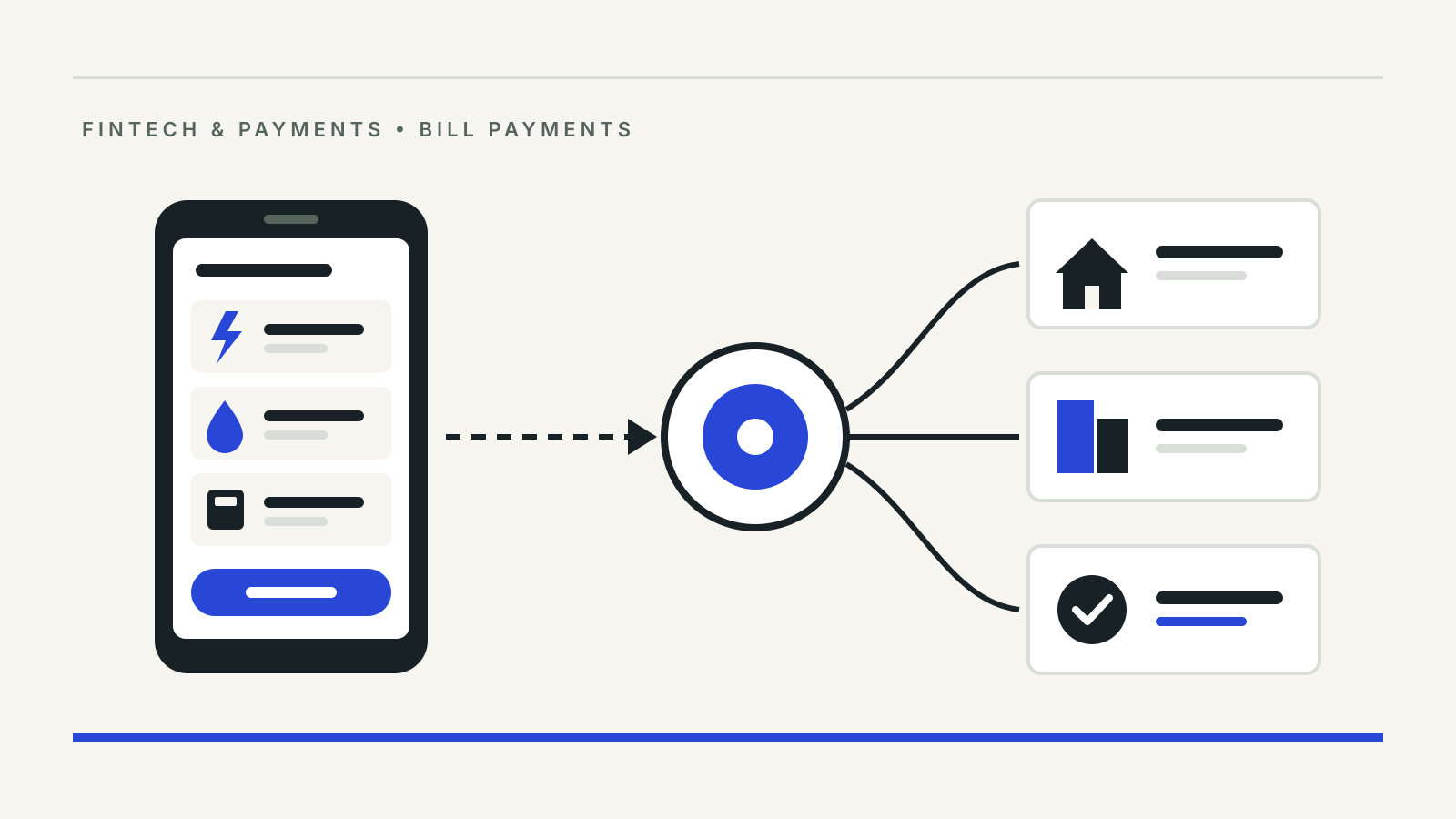
When you pay an electricity bill through the “Bill Payments” section of a bank or UPI app, the payment usually travels over Bharat Connect, the network once called the Bharat Bill Payment System (BBPS). It lets any customer pay any listed biller through any participating app, bank branch or agent, and gives a payment confirmation with a reference number. That reference number is what you need if the money leaves your account and the biller says it never arrived.
This guide explains how Bharat Connect works, what changed with the new name and how to raise a complaint.
BBPS and Bharat Connect are the same system
The rename was announced at the Global Fintech Fest on 29 August 2024. In a circular dated 11 September 2024, NPCI Bharat BillPay Ltd (NBBL), which runs the system, told participants that the “BBPS”, “Bharat BillPay” and “B Assured” marks would be replaced by “Bharat Connect” logos, with the B-Connect transaction ID shown on payment receipts, by 30 September 2024. Regulatory documents still use the old name: NBBL’s procedural guidelines of November 2025 describe BBPS as a system “conceptualized” by the Reserve Bank of India and governed by the RBI’s Master Direction on the Bharat Bill Payment System, 2024.
NBBL is a wholly owned subsidiary of the National Payments Corporation of India (NPCI). If you see either name in your app, it is the same rail.
Who does what in a bill payment
The guidelines describe a tiered structure:
- Bharat Bill Payment Central Unit (BBPCU). NBBL in this role sets the standards, routes transactions and runs clearing and settlement.
- Customer Operating Units (COUs). Banks and authorised non-bank payment aggregators that give you the interface: an app, website or counter. They may use Agent Institutions and agents, such as business correspondents and collection centres.
- Biller Operating Units (BOUs). Banks and payment aggregators that bring billers onto the network, directly or through biller aggregators.
- Billers. Electricity boards, telecom companies, insurers, lenders, municipal bodies and others that raise the bill.
Because every COU connects to every BOU through the central unit, your app does not need its own tie-up with your electricity board. That interoperability is the point of the system.
NBBL’s statistics page, last updated 1 October 2026, lists 22,787 live billers, 1,068 Agent Institutions, 56 Biller Operating Units and 80 Customer Operating Units. On its home page NBBL lists more than 25 categories, including electricity, water, piped gas, LPG, mobile, broadband, DTH, FASTag, insurance, loan repayment, credit card, education fees, municipal taxes, rent and NPS.
What happens when you pay
- You open “Bill Payments” in a participating app or visit an agent, pick the category and biller, and enter your consumer or account number.
- For most utility bills the system fetches the amount due from the biller. Some categories only validate your identifier, such as broadband, or let you choose a plan, such as a mobile recharge. A few, like donations, are direct pay with no fetch.
- You pay by any mode the app offers. The guidelines list UPI, cash at agents, debit and credit cards, wallets and other prepaid instruments, net banking, IMPS and NEFT. UPI is one way to pay a Bharat Connect bill; it is not the same system.
- The COU routes the transaction to the central unit, which sends it to the biller’s BOU, which credits the biller. You get an instant confirmation with a Bharat Connect transaction reference.
- Banks and aggregators settle among themselves later through the central unit’s multiple daily settlement cycles. A Settlement Guarantee Fund covers a participant that fails to pay in.
Recurring bills can be set to “Register and Pay” through the Unified Presentment Management System (UPMS), which fetches each new bill and either pays it automatically or shows it to you to approve. This is different from a UPI AutoPay mandate; our guide to cancelling UPI AutoPay covers those.
Fees
NBBL’s guidelines require Agent Institutions to communicate their fees transparently. Some apps and agents add a convenience or platform fee for certain categories or payment modes. Check the final amount on the confirmation screen before you approve, and the receipt afterwards.
If a bill payment fails or is not credited
Keep the confirmation. The complaint form on Bharat Connect’s site asks for the 20-character Bharat Connect transaction reference ID, the date, amount, the app or channel used and a screenshot.
- Start with the app or bank you paid through. The guidelines require every COU and BOU to be connected to a centralised complaint system that tracks disputes by the reference number, and to give you a complaint number to follow up.
- Use the Bharat Connect form if you are stuck. NBBL also lists bbps.ops@npci.org.in and bbps@npci.org.in for escalation.
- Check reversal timelines. Failed transactions fall under the RBI’s circular of 20 September 2019 on harmonisation of turnaround time and customer compensation, which sets reversal deadlines by payment channel and compensation when they are missed. Disputes follow the RBI’s online dispute resolution guidelines of 6 August 2020.
- Escalate to the RBI Ombudsman if your bank or payment company does not resolve it. Our guide to an RBI Ombudsman complaint explains the waiting period and how to file.
Be careful where you look for help. Fraudsters advertise fake helpline numbers for electricity boards and billers; see how the fake customer care number scam works. Never share an OTP or install a screen-sharing app to “fix” a bill payment.
Questions
Is Bharat Connect the same as BBPS?
Yes. Bharat Bill Payment System was renamed Bharat Connect in 2024. NBBL, an NPCI subsidiary, operates it, and RBI rules still refer to BBPS.
Is Bharat Connect the same as UPI?
No. Bharat Connect is a bill payment network. UPI is one of several ways to pay a bill on it, alongside cards, net banking, wallets and cash at agents.
Do I need to register for Bharat Connect?
No separate registration is needed, according to NBBL. You use it through your bank or a participating app, or at an agent outlet.
Where do I find my Bharat Connect transaction ID?
On the payment confirmation, receipt or email from the app or agent. NBBL’s complaint form describes it as a 20-character ID.
Sources
- NBBL: Intimation of Rebranding and Change in Logo of BBPS, circular NPCI/2024-25/BBPS/008, 11 September 2024
- NBBL: BBPS Procedural Guidelines, version 6, November 2025
- NBBL: Bharat Connect ecosystem statistics, updated 1 October 2026
- NBBL: Bharat Connect home page and categories
- NBBL: Raise a complaint (customers)
- Reserve Bank of India: Master Direction – Reserve Bank of India (Bharat Bill Payment System) Directions, 2024; circular on Harmonisation of Turn Around Time and customer compensation for failed transactions, 20 September 2019; Online Dispute Resolution System for Digital Payments, 6 August 2020