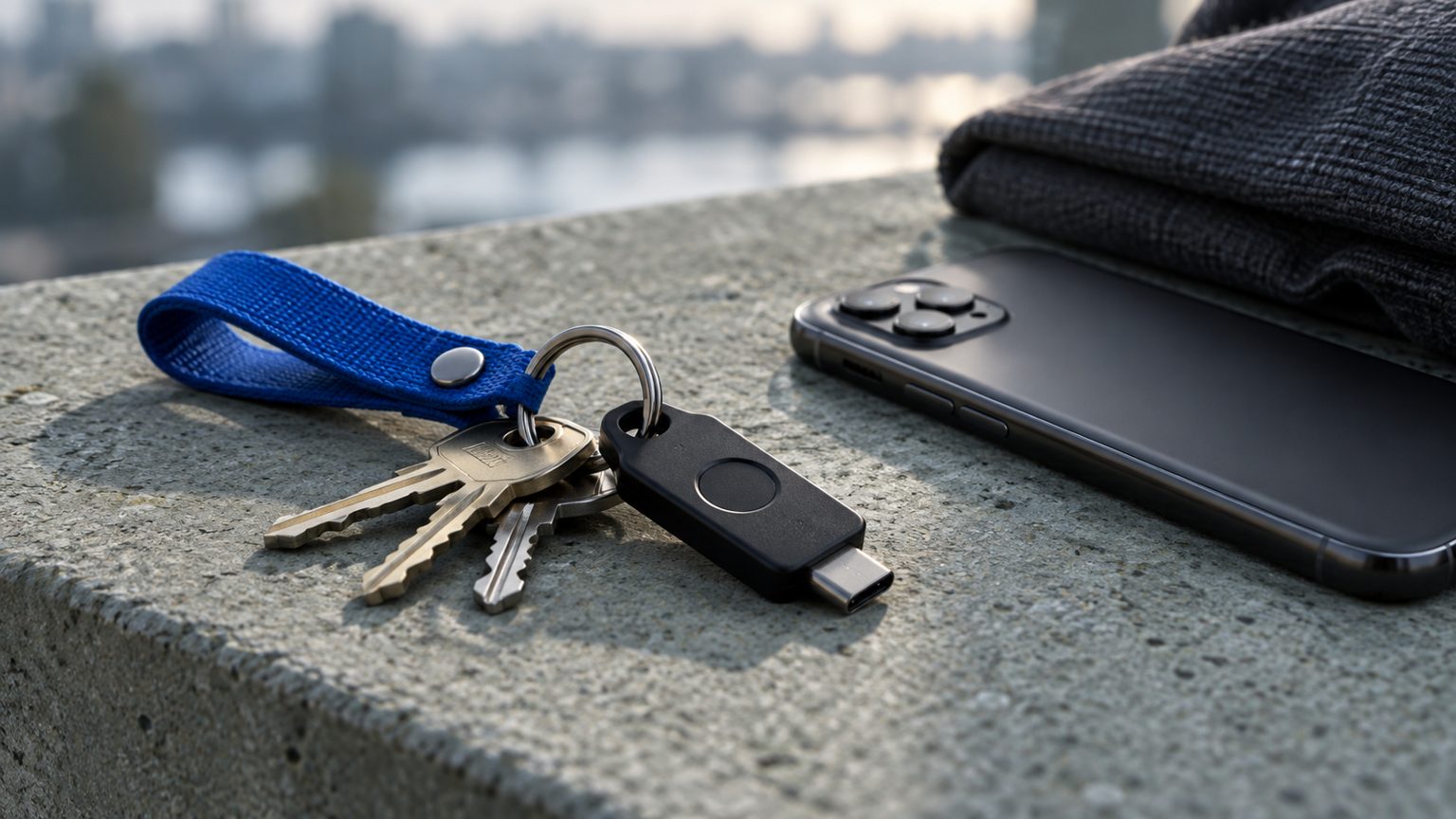
A passkey lets you approve a sign-in using a credential stored by your device or passkey provider, often after unlocking it with a fingerprint, face check or PIN. The website receives cryptographic proof that the credential was used. It does not need a reusable password that you type into a page.
That changes an important part of account security, but it also creates practical questions: where is the passkey stored, will it be available on a replacement phone, and how can the account be recovered if every copy is lost? Those questions deserve attention when you set up the credential, rather than only after a device disappears.
The website verifies a cryptographic response
The FIDO Alliance describes passkeys as credentials built on public-key cryptography. Registration associates a public key with the account. During sign-in, the credential produces a response that the service can verify using that public key. The private-key side is managed by the authenticator or passkey provider.
The credential is tied to the relevant website or application. That binding is central to phishing resistance: a convincing copy of a sign-in page on an unrelated domain cannot simply ask the browser for the real site’s credential. There is no ordinary password string for the user to copy from a genuine service into the lookalike page.
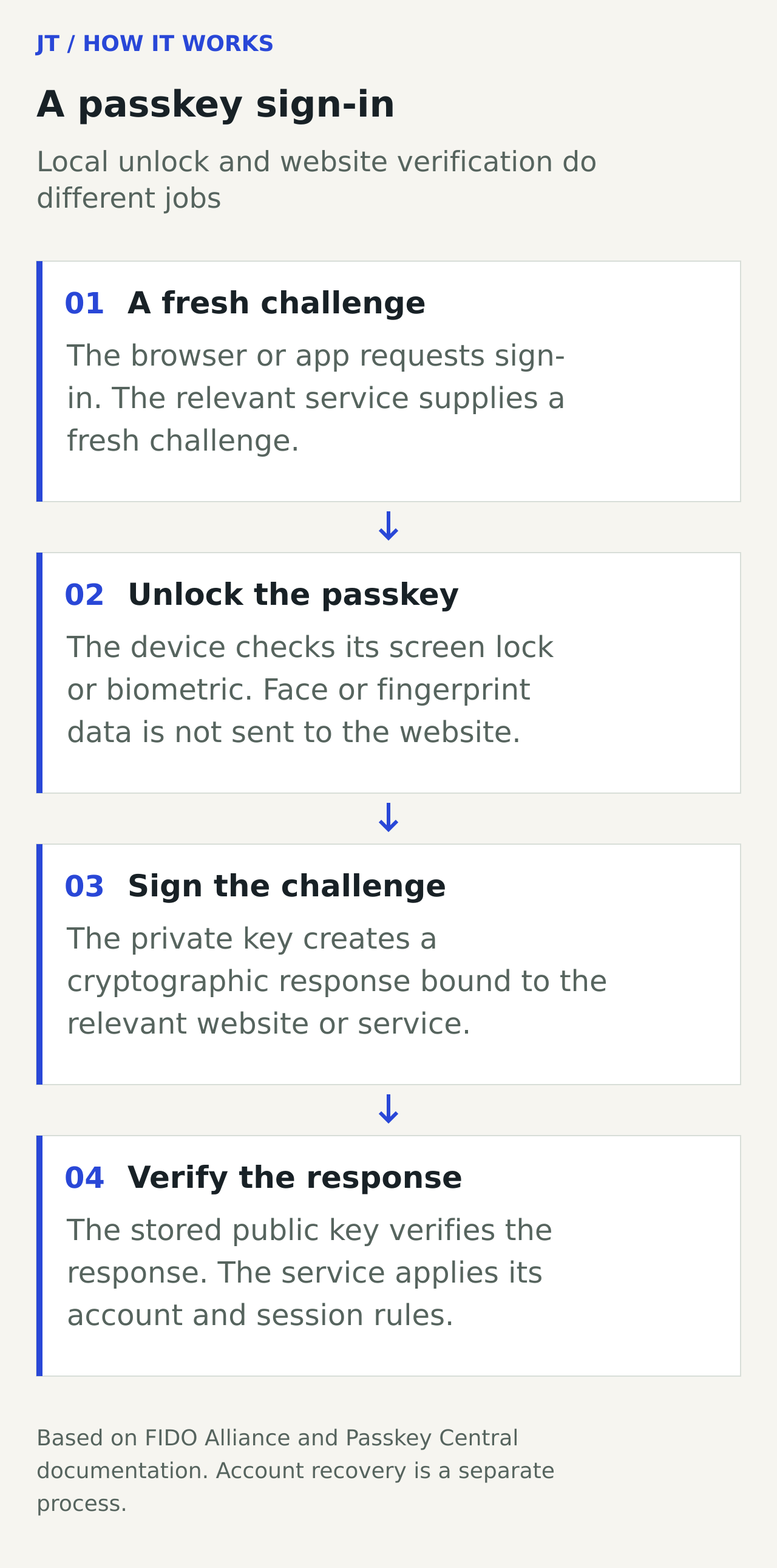
Simplified passkey sign-in, based on FIDO and Passkey Central explanations. Local user verification and the website’s verification of the cryptographic response are different steps.
This protection applies to authentication. It does not make every action after signing in safe, prevent a user from sharing sensitive information with a deceptive service, or cure a compromised session. A secure credential is one component of an account system, alongside device security, recovery and the service’s own controls.
Your face or fingerprint stays on the device
Biometric unlock is a local way to approve use of a credential. FIDO’s explanation states that biometric processing remains on the device; the remote service receives assurance about the verification, not the fingerprint or face image. A device PIN or other supported local method can play the same approval role.
For a user, this means changing the sign-in method does not require assuming that every website now stores a copy of their face. It also means the screen-lock method matters. Someone who can unlock a device may be able to use credentials available on it, depending on the provider and configuration.
Keep shared-device situations in mind. A personal passkey stored in a shared computer’s provider may remain available beyond the intended session. Google’s passkey support page specifically advises removing a passkey created on a shared device by mistake. Signing out of a webpage and removing a credential are different actions.
Synced and device-bound passkeys recover differently
Passkey Central distinguishes credentials that can be synchronised through a provider from credentials tied to a particular authenticator. A synced passkey may become available on another device signed into the same provider, subject to that provider’s security and recovery process.
A device-bound passkey remains on its device or hardware security key. That can be useful when control of a particular authenticator is required, but losing the only registered copy creates a different recovery problem. A spare registered authenticator can help only if it was set up and remains accessible.
| Question | Synced passkey | Device-bound passkey |
|---|---|---|
| Where can it be used? | Across supported devices through its provider | Through the particular device or security key |
| What needs protection? | Devices and the provider account | The authenticator and its local access controls |
| What happens after loss? | Recovery may restore access through the provider | Another registered method or account recovery may be needed |
The table describes general categories, not a guarantee that every provider behaves identically. Cross-device sign-in and moving a credential into another provider are also different operations. Being able to approve a sign-in with your phone does not necessarily mean that the website has stored a new passkey on the computer you are using.
Check the recovery path while access still works
Open the account’s security settings and identify the registered sign-in methods. Record which device, provider or security key each passkey belongs to, using a meaningful label if the service supports one. Check whether a second trusted device or authenticator can sign in before relying on it as a backup.
Recovery arrangements are service-specific. Google’s guidance for lost devices and verification methods lists possible routes such as another signed-in device, a registered security key or a passkey on another device. When those are unavailable, its account recovery process may be necessary. These options depend on what was configured and should not be assumed to exist on every account.
Adding a passkey does not automatically remove older sign-in methods. Google explicitly notes that creating one does not remove the account’s existing authentication or recovery factors. Review those methods as part of the same task: an outdated recovery address can remain relevant even when day-to-day sign-in uses a stronger credential.
A lost phone calls for an account review
Use a trusted device that you can still access to review the affected accounts. Follow each provider’s instructions for removing the lost device’s passkey and revoking its sessions. Google’s support guidance treats removal of the lost credential as a specific action; it should not be confused with simply creating a replacement.
If you no longer have another route in, use the service’s official account recovery process. Avoid assuming that a stranger offering a rapid recovery service has special access. The useful preparation is a known recovery route and protected backup methods, checked before the loss happens.
For work accounts, organisational policy may determine which providers and authenticators are permitted. The same attention to access is valuable when connecting financial services or receiving digital assets: our stablecoin redemption guide explains why a balance and the ability to use it depend on several separate systems.
Questions
Is a passkey the same as a fingerprint?
No. The passkey is a cryptographic credential. A fingerprint, face check or PIN can be used locally to approve its use.
Can I use a passkey after replacing my phone?
Possibly, depending on whether it is synced and whether you can access the relevant provider. A device-bound credential has a different recovery path.
Does adding a passkey delete my password?
Not necessarily. Services handle existing sign-in and recovery methods differently. Check the account’s security settings and documentation.
Are passkeys immune to every account attack?
No. They provide phishing-resistant authentication, while device compromise, session theft, recovery and deceptive requests still require separate controls.
Sources
- FIDO Alliance: passkeys.
- Passkey Central: how passkeys work.
- Google Account Help: sign in with a passkey.
- Google Account Help: verification and lost-device issues.
Sources reviewed 26 September 2026. Explore Tech & Security, or contact Journalist Today.